It's 11pm. You have the idea. You're three folders deep and eleven tabs in. You still can't find the vocal chop you cut last Tuesday.
Run your studio.
Not your folders.
One rig for the whole track. Local on your machine. Built like an instrument.
WIN 10+ · SQLite · offline-first
Hover to scrub · click to ping
You know
this folder.
Every serious producer has it. The graveyard of ideas you can't find when you need them. The same loop downloaded three times. The "final" that has eight finals. GRIDWERK does the work this folder needed two years ago.
- untitled-final.als
- untitled-final-v2.als
- untitled-final-FINAL.als
- untitled-final-FINAL-2.als
- beat 47 (use this one).als
- DRUMS NEW NEW.zip
- vox idea good.wav
- Splice/2024-08/?
- Tracklib/Downloads/?
- plugins-i-own.txt
- vox_chop_dminor_87bpm.wav
- vox_idea_dark_morning.wav
- vox_layer_warm_d.wav
- 2 similar by sound · 1 in active project
Most music software is built to sell features. We are building a rig.
A rig keeps every part of the work wired up. Your catalog. Your masters. Your references. Your samples. Your splits. The deliverable for the label.
It should be one window, not eleven tabs. It should run on your machine, not someone else's.
Run your studio.
Not your folders.
— EMIL · BYRDBYTE
Ninety minutes,
idea to ship.
Not a feature tour. The actual shape of a session when the rig is doing its job.
- 23:04
You open GRIDWERK. The catalog is already there. No “indexing” spinner, no cloud roundtrip.
- 23:06
You search “dark wide vocal D minor.” The library returns the chop you cut last Tuesday — and three you forgot existed.
- 23:18
You drag it into a fresh Live session. GRIDWERK opens the .als, reads every plugin, tags the project.
- 23:42
The arrangement is there. You bounce a rough.
- 23:47
You paste a YouTube link of the record you're chasing. LUFS, dynamics, stereo width, spectrum overlay your bounce.
- 23:59
Mix Coach reads the masking heatmap. “Kick and bass colliding 80–120 Hz. Shelve the bass or sidechain.” Real moves, not a vibe score.
- 00:14
You pull stems on your CPU. Drums, bass, vocals, other. No upload. No per-minute pricing.
- 00:31
The master sits in the chain. Clearance, splits, distribution metadata are already filled in from the catalog.
- 00:33
You ship it.
Your sessions.
Your patterns.
Your sound.
Your Sound builds a portrait from the songs in your catalog: harmony, feel, palette, and craft. It shows the evidence it can read, separates measured traits from inference, and says when there is too little to conclude. Computed locally.
Built like an instrument.
The catalog and audio processing run locally. Licence checks, downloads, connected integrations, optional backups and crash reports have separate data flows. Read the privacy details.
Free to start.
Buy it once.
Local-first, and yours. Pro is a one-time licence — no subscription, every 1.x update included, and it keeps working offline forever. The first public Windows installer is not ready, so downloads and checkout are paused. Join the waitlist for the release.
- │ + Songs, samples, MIDI, stems
- │ + Project tracker
- │ + Master tasks
- │ + Organiser
- │ + Console
- │ + DAW readers & launchers
- │ + VST Manager
- │ + Findings
- │ + Your Sound
- │ + Ledger
- │ + Artist profile & label roster
- + Chord & scale reference
- + Lyrics, notebook, calendar
- + Split sheets
- │ + Stem separation
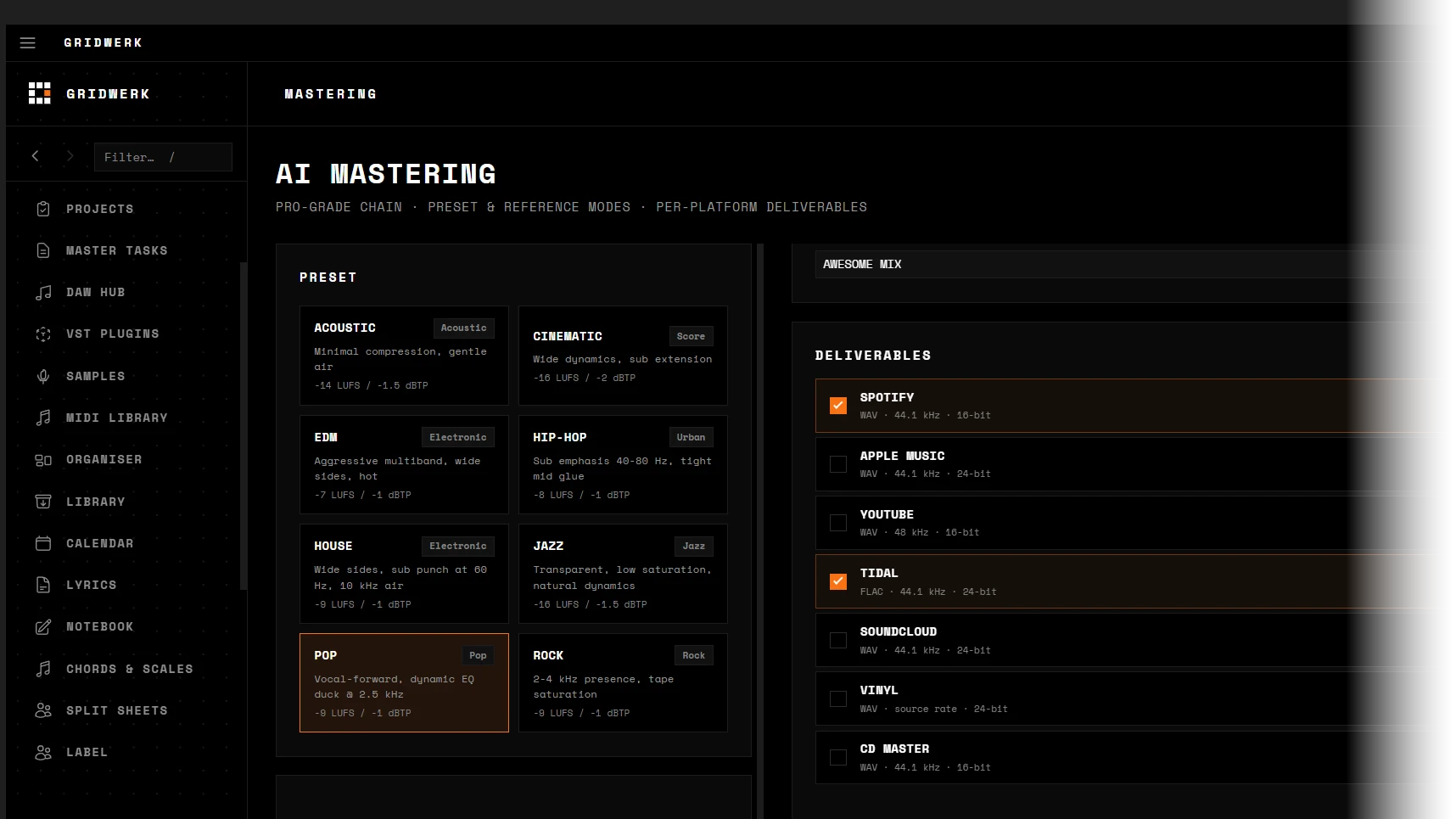
- │ + Mastering
- │ + Mix coach
- │ + Mix analyzer
- │ + Reference analysis
- │ + Audio cleanup
- │ + Tempo & key sync
- │ + Sample clearance
- │ + Beat inventory
- │ + Distribution prep
- │ + Pack builder
- │ + Batch export
- │ + Revenue dashboard
- │ + Reports
- + No subscription
- + Works offline, forever
- + 14-day refund
ONE-TIME · ALL 1.x UPDATES INCLUDED · 2 MACHINES
No payment is being taken. Join the launch waitlist or check release status.
Two machines per licence, active at once. Moving to a new rig? Email us and we'll free a slot. · 14 days to change your mind, money back, no interrogation.
Studios and labels running several seats — email us.
Asked & answered.
What does it actually do? +
Which DAWs does it support? +
What audio formats? +
How does mastering compare to LANDR or Ozone? +
What does Mix Coach show me? +
Where does my data live? +
Free vs Pro? +
How many machines can I install on? +
What if I want my money back? +
One rig for the whole track.
Wherever you're coming from.
SWITCHING FROM
Stop juggling tools.
Ship more music.
GRIDWERK is in private build. Drop your email — you'll get the install link the day it ships, plus a founding-member rate locked in.
Windows first. macOS after. No spam — one launch ping, one founder offer.